
Loading the latest stories…
Sharing handspinning techniques has never been easier! Denise offers tips for making your own YouTube videos.
Denise Jackson2 min read
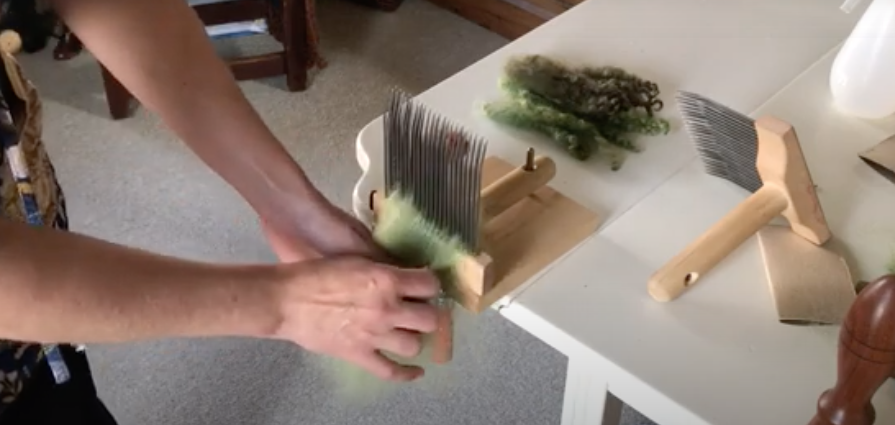
YouTube.com is an excellent learning zone. I use it all the time. When I teach classes, I include a list of YouTube video links that reinforce what I teach. For those of us who have some skills to share, YouTube provides a format for portable world access.
I often use Ruth MacGregor’s videos (see Resources) as a guide. They are simple and straightforward. She says her videos “. . . are made to feed the way I learn tactile things (and the way I suspect most people learn them): you need to see what’s happening without thinking about it too much. If there are lots of words, the ‘chatty’ part of your brain takes over, and you miss things. If there’s narration, you may be distracted by the voice or the accent. . . . But music and demonstration, with just enough text to help you direct your attention—those go right to the target.”
Step 1: Create the idea of what you are going to do and why. What is it you want to teach? Have a general (scripted) idea of what is going to happen.
Step 2: Film the video. You can take more than one shot at this—editing is a wonderful tool. Some viewers (like me) get motion sickness so use a tripod.
Step 3: Edit the video. Take the good parts and put them together. Keep the other parts for a laugh. You can import voice-overs and music. Watch some of your favorite videos to see how others do it.
Step 4: Resize the video so it fits on YouTube. The site accepts most file formats, which allows videos to be uploaded from a phones. Files cannot be any longer than 15 minutes for a basic account. [Check current size and format requirements. —Editor]
Step 5: Upload the video. Enter a title, description, tags, and category. These help interested spinners find your video easier and faster.
This article was originally published in the Summer 2012 issue of Spin Off.
More from Spin Off







Comments
No comments yet — be the first to share your thoughts.
Sign in to join the conversation — commenting is for signed-in members.